









Drone Show Creator
Drone Show Creator by Drone Show Software empowers beginners and professionals to design breathtaking drone shows with ease.
Why Choose Specialized Drone Choreography Software?

Complete Drone Show Design Platform for Creative Professionals


Powerful Features for Professional Drone Choreography Design

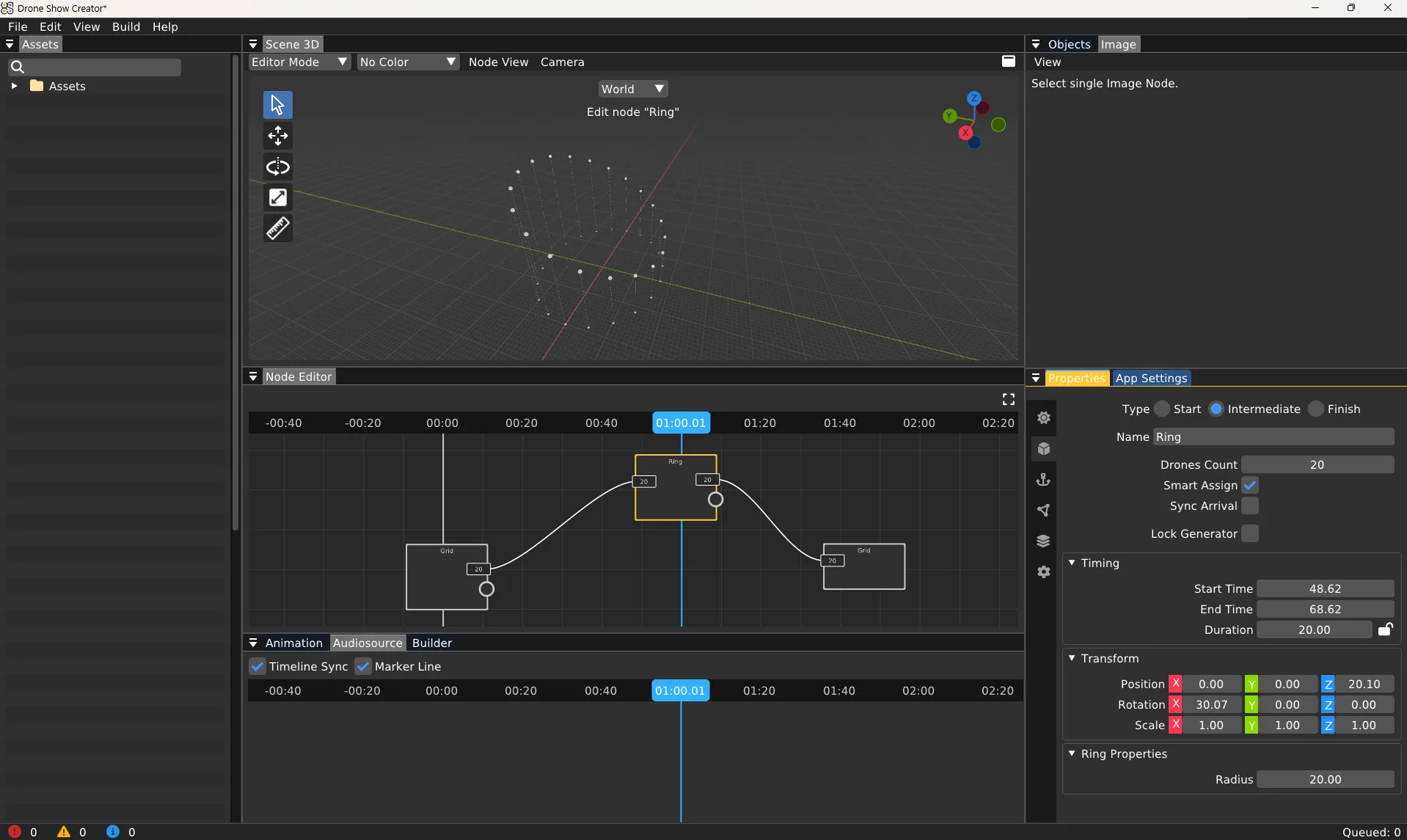
User-Friendly Interface
Personalized Libraries
Workspace Customization
Import and Export Functions
Flexible Object Positioning
Live Preview - See Your Drone Show as You Design
Enhanced Properties Window
Import 3D Models for Complex Aerial Formations
Add Text Messages and Typography to Drone Shows
Audience Engagement with QR Codes
Project Images and Videos Through Drone Formations

Efficient Node-Based Drone Show Workflow

Get Trial Today!
Frequently Asked Questions
About Drone Animation Software
What is Drone Show Creator, and what can I do with it?

Drone Show Creator is professional animation software specifically designed for creating drone light shows and aerial performances. It enables you to design complex multi-drone choreography, add 3D models and visual effects, synchronize movements with music, preview shows in real-time, and export flight-ready files compatible with any drone control platform. Used by creative agencies, event production companies, drone show providers, and independent animators worldwide, it's the most intuitive way to transform creative concepts into spectacular aerial displays without requiring advanced animation skills.
What types of assets can I use with Drone Show Creator?
The software supports various asset types, including:
- Images: .jpg, .jpeg, .png, .bmp
- Music: .mp3, .flac, .wav
- Videos: .mp4, .avi, .mov, .mkv
- Fonts: .ttf, .otf
- Path files: Path V1/V3
- 3D Models: .blend, .dae, .fbx, .gltf, .glb, .obj, .ply, .stl, .3ds, .x, .ase
How does Drone Show Creator compare to other animation tools like Blender or pyrotechnic software like Finale3D for show design?
Drone Show Creator specializes in drone choreography and light shows, focusing on intuitive multi-drone pathing and flight-ready export. While Blender is a powerful general-purpose 3D modeling and animation suite (whose .blend files can be imported as 3D models), it is not built for the unique constraints and file formats of drone fleets. Finale3D is designed for pyrotechnics and lasers, managing timing and positioning for fireworks and other effects, which is a different operational discipline than multi-drone flight path management. Drone Show Creator bridges the gap by offering a user-friendly way to design, visualize, and output files specifically for autonomous drone shows.
Can I customize the workspace?
How do I add 3D models or images to my show?
Is it possible to share my projects?
How can I engage my audience during the show?
What should I do if I encounter errors during show creation?
Where can I find support or additional resources?
Can your company run a drone show for me?
What are the minimum system requirements?
Minimal Requirements:
- OS: Windows 10/11
- CPU: 4 cores
- RAM: 8 GB
- VRAM: 2 GB with OpenGL 4.3
Recommended Requirements:
- OS: Windows 10/11
- CPU: 8 cores
- RAM: 32 GB
- VRAM: 8 GB
How do I download Drone Show Creator?
You’ll receive the download link and activation code by email after purchasing the annual license of Drone Show Creator or requesting a free trial.
Can I use Drone Show Creator on multiple computers?